




Color LaserJet 8550DN
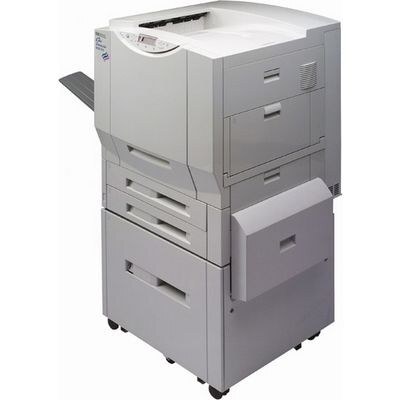
Designed for large departments, the Color LaserJet 8550DN is a late-90s color workgroup machine with a reputation for simply working — clean text, even coverage, no fuss — with the duplex unit built in for two-sided output. Its toner is the HP 60A cartridge line: C4149A black, C4150A cyan, C4151A magenta and C4152A yellow. The magenta and yellow cartridges must be in place before the machine will print, and all four are stocked here as compatible singles, alongside the sets below.
The DN was the departmental configuration: a shared resource that flipped its own pages for reports, manuals and handouts instead of asking users to re-feed paper by hand. Machines in that role live or die by their supplies routine — a big two-sided run does not care which color is low, it just stops. Owners of surviving 8550DN units tend to keep one full set in reserve for exactly that reason.
Toner Cartridges for Color LaserJet 8550DN
- C4149A — Black. Yield: see product page.
- C4150A — Cyan. Yield: see product page.
- C4151A — Magenta. Yield: see product page.
- C4152A — Yellow. Yield: see product page.
- C4149A / C4150A / C4151A / C4152A — Premium 4 Color Set, 8500 Series — Black, cyan, magenta and yellow. Yield: see product page.
- C4149A / C4150A / C4151A / C4152A — 4 Color Set, 8500 Series — Black, cyan, magenta and yellow. Yield: see product page.
- 8550DN — 4 Color Set — Black, cyan, magenta and yellow. Yield: see product page.
Which cartridge should you buy?
For single-color outages, the singles are the economical answer — replace the C4149A when black fades, the C4151A when magenta does, and leave the rest alone. When the machine is due a broader refresh, the four-color sets restock everything at once: the standard 8500-series set, the premium version of the same four codes, or the set packaged for the 8550DN itself. Duplex work does not change which cartridges fit — two-sided printing uses the same four codes — but heavy two-sided volume does cycle black faster, so black is the spare to prioritize.
Chip, toner and everyday use
Two-sided printing doubles the pages each paper sheet carries, not the toner a page needs — coverage per side is what empties cartridges. Keep an eye on the color that your documents lean on: departments printing charts and branded templates often find cyan or magenta running ahead of the pack. Fit cartridges with the seal completely removed and the unit seated squarely; on an older machine, a wipe of the cartridge contacts with a dry, lint-free cloth prevents most recognition complaints before they start.
Frequently Asked Questions
What toner cartridges does the Color LaserJet 8550DN use?
Four separate cartridges: C4149A black, C4150A cyan, C4151A magenta and C4152A yellow. Match those exact codes when ordering replacements for this model.
Does the 8550DN support automatic double-sided printing?
Yes — the duplex unit is built in, so selecting the two-sided option in your print dialog flips each sheet automatically. It works with plain paper loaded in the main tray.
Can it keep printing in black when a color cartridge runs out?
No. The 8550DN needs all four cartridges installed to print at all, even for black-only jobs. Selecting grayscale for everyday documents slows how fast the colors are consumed.
Are the cartridges on this page original HP stock?
They are compatible replacements manufactured to the 60A-family codes, sold as singles and in four-color sets — not genuine HP units.