




Color LaserJet 8550
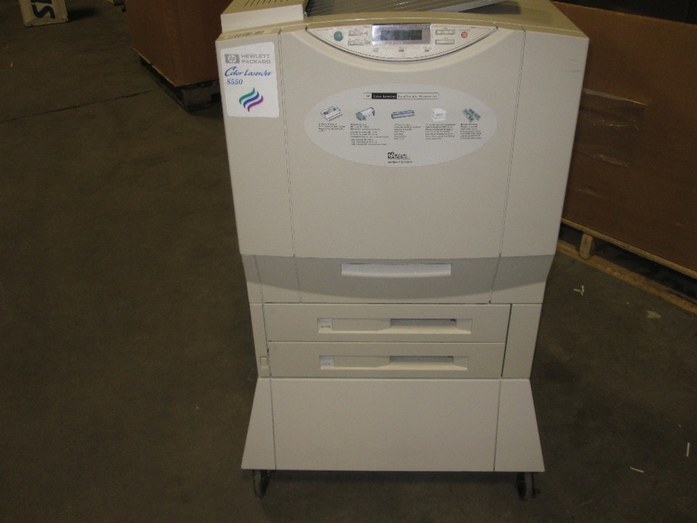
The Color LaserJet 8550 is a late-90s color workgroup machine designed around one idea: dependable printing for large departments. Second-hand units still circulate because the consumable market never dried up, and the cartridge set is a straightforward four: C4149A black, C4150A cyan, C4151A magenta and C4152A yellow — the 60A family HP built for the 8500 and 8550 lines. All four cartridges on this page are compatible replacements, stocked as singles and in the sets below.
Departments kept machines like this for a reason: the output stayed clean and even, the hardware shrugged off volume, and the supplies were never exotic. An 8550 still earning its floor space today asks only that its four cartridges be kept in rotation — each color depletes on its own schedule, driven by what the department actually prints, and the printer needs the full set installed before it will run at all.
Toner Cartridges for Color LaserJet 8550
| Cartridge | Color | Page Yield |
|---|---|---|
| C4149A | Black | See product page |
| C4150A | Cyan | See product page |
| C4151A | Magenta | See product page |
| C4152A | Yellow | See product page |
| C4149A / C4150A / C4151A / C4152A — Premium 4 Color Set, 8500 Series | Black, cyan, magenta and yellow | See product page |
| C4149A / C4150A / C4151A / C4152A — 4 Color Set, 8500 Series | Black, cyan, magenta and yellow | See product page |
| 8550 — 4 Color Set | Black, cyan, magenta and yellow | See product page |
Which cartridge should you buy?
Buy singles when one color is out and the rest have life left — on this machine that is the normal pattern, and swapping a healthy cartridge early only wastes toner. The two 8500-series four-color sets earn their place at a general refresh: the standard set restocks all four codes in one box, and the premium set covers the same four codes for offices that want the higher-grade build. The 8550 set listed with them packages the same cartridges under this model's own name. Whichever route you take, match the codes exactly — C4149A, C4150A, C4151A and C4152A are the only cartridges this printer accepts.
Chip, toner and everyday use
On a machine of this vintage, clean contacts matter as much as fresh toner: before fitting a cartridge, make sure its contacts are clean and the seal is fully removed, then seat it squarely. If output from one color turns patchy near the end of a cartridge's life, a gentle side-to-side rock redistributes the toner for a few more clean pages. Keep unopened cartridges sealed in a cool, dry cabinet — toner keeps well, but heat and humidity are its enemies over the long storage stretches older machines often see between orders. Every compatible cartridge here is backed by a 1-year warranty and 1-year returns.
Frequently Asked Questions
What toner does the Color LaserJet 8550 take?
Four cartridges: C4149A black, C4150A cyan, C4151A magenta and C4152A yellow. Any replacement set marketed for those exact codes fits this machine.
Should I replace all four cartridges at once?
No. Each cartridge runs down independently, so change only the one the printer flags. Replacing working cartridges early just discards usable toner.
Can the 8550 keep printing in black when a color cartridge runs out?
It needs all four cartridges installed to print, even for black-only work. To stretch the colors, choose the grayscale or black-only setting for everyday documents so the color cartridges are not consumed by text pages.
Are these genuine HP cartridges?
No — the cartridges on this page are compatible replacements built to the C4149A–C4152A specifications, offered as singles and four-color sets.