




Color LaserJet 8500DN
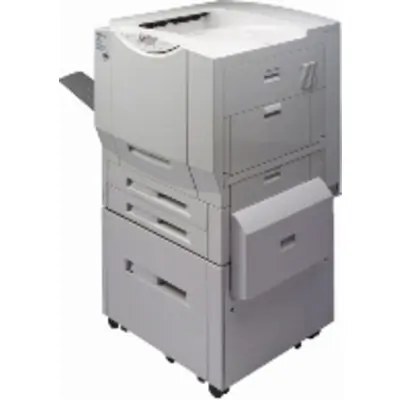
Among late-90s lasers, the Color LaserJet 8500DN is the departmental color machine with the extras built in — the DN build adds automatic two-sided printing and network sharing to the base 8500 design, tuned for large departments that run it all day. Its toner comes from the HP 60A family: C4149A black and C4150A cyan do the heavy lifting in most documents, completed by the magenta C4151A and the yellow C4152A. A backup cartridge on the shelf is simple insurance against a stalled workday.
Reliability, not novelty, is what keeps an 8500DN on the floor years after its contemporaries retired. A shared departmental printer also burns supplies predictably: the whole workgroup prints through the same four slots, so levels fall steadily and a standing spare habit pays off. Duplex output stretches each cartridge a little further on long reports, since two-sided pages carry the same toner across half the sheets.
Toner Cartridges for Color LaserJet 8500DN
- C4149A — Black — See product page
- C4150A — Cyan — See product page
- C4151A — Magenta — See product page
- C4152A — Yellow — See product page
When the whole row needs attention, the 8500DN 4 Color Set, the Premium Quality 4 Color Set and the 8500 Series 4 Color Set each carry one cartridge of every color.
Which cartridge should you buy?
Order the cartridge the printer names, in the quantity the workgroup justifies. On a shared machine the black C4149A does most of the work and empties first, so many departments keep its replacement permanently on hand rather than ordering after the warning light. Singles are the economical default because the four slots deplete at different rates. Choose a four-color set when the machine is being recommissioned, or when several colors are low together and one delivery is simpler than three. The codes do not interchange: C4149A, C4150A, C4151A and C4152A each belong to one slot only.
Chip, toner and everyday use
A compatible cartridge in this generation simply has to seat correctly and feed evenly, and these are built to do both. Rock a fresh cartridge gently before fitting it so the toner bed levels out, and treat any quoted yield as an estimate at five percent coverage — heavy color pages finish cartridges faster than text does. For the DN's two-sided work, laser-rated paper keeps duplexed sheets feeding without jams. Store spares sealed and flat, away from heat, and the next swap takes minutes.
Frequently Asked Questions
What toner does the Color LaserJet 8500DN take?
All four 60A cartridges: C4149A, C4150A, C4151A and C4152A. Any cartridge carrying one of those exact codes is the right type for its slot.
Does the 8500DN print on both sides automatically?
Yes — the duplex unit is built into this model, so choosing the two-sided option in your print dialog flips each sheet automatically. It works with plain paper loaded in the main tray.
One color is low but the others are fine — what should I order?
Just the low one. The four cartridges are independent and report separate levels, so a single replacement restores that color without disturbing the rest of the row.
What paper works best in the 8500DN?
Plain office paper handles everyday jobs, with envelopes and heavier stock through the manual feed. Set the paper type in the print dialog to match the load, and pick laser-rated stock when the color has to look its best.