






 See Compatible Printers
 Read more about our ink!
Kyocera-mita
Compatible Kyocera-Mita TK897 (TK897K) Toner Cartridge Black

Amazon Price:

- Page Yield:
- Black: 12000
- Availability:
- In Stock
- Shipping:
- Free Shipping
- Compatible Printers
- Specifications
- SKU:
- CS-Kyocera-Mita-TK897-Black-N1
- Printer Brand:
- Kyocera-Mita
- OEM Number:
- TK897K
- Ink Color:
- Black
- Page Yield:
- Black: 12000
- Printer Type:
- Laser Cartridge
- Condition:
- New Compatible
- Description
- Reviews



The Kyocera Mita TK897 toner cartridge, available in black (TK897K), cyan (TK897C), magenta (TK897M), and yellow (TK897Y), is specially designed to work seamlessly with printers like the FS-C8520MFP, FS-C8525MFP, TASKalfa 205c, and TASKalfa 255c. When it comes to installation, the Kyocera Mita TK897 toner cartridge offers a hassle-free experience, ensuring quick and easy replacement. Its user-friendly design allows for swift cartridge changes, minimizing downtime and maximizing productivity in printing tasks. With the Kyocera Mita TK897 toner cartridge, users can expect consistent and reliable print quality. Whether it's crisp black text or vibrant color graphics, this cartridge delivers sharp and clear results for a wide range of printing needs.
Frequently Asked Questions
I inherited this printer with the office — how do I find out which black cartridge it takes?
You do not need the manual. Print a supply status page from the machine's menu, or open the front cover and read the label on the black cartridge inside. If the code shown is TK897K, this $111.02 cartridge is what to order.
The listing says TK897K but the family is TK897 — am I ordering the right thing?
Yes. TK897 names the cartridge family, and the trailing letter marks the color position: K stands for black. A machine asking for the black member of this family is asking for TK897K specifically, which is the cartridge on this page.
Which printers does this cartridge belong to?
The FS-C8520MFP, FS-C8525MFP, TASKalfa 205c and TASKalfa 255c. Any of those four models uses the TK897K as its black cartridge, alongside its own separate color units.
For a small office, how long is one cartridge likely to last?
It is rated at 12,000 pages, which at a few hundred pages a week stretches across many months. Print volume decides in the end — heavy document runs shorten that span, light correspondence lengthens it — but the rating gives a fair planning figure either way.
What should I do with the empty cartridge I take out?
Set it aside in the new cartridge's box so it stays clean and contained, and follow your local route for spent toner cartridges. Keeping the old unit until the new one has printed a few clean pages is also a sensible habit — it makes any comparison or support call easier.
Who do I contact if the new cartridge gives me trouble?
Support is available Monday through Friday, 9 AM to 5 PM CST, and the cartridge carries a 1-year warranty with free returns for a year. Orders are dispatched from warehouses in IL, PA, GA and CA, and the return procedure is laid out on our shipping and returns page.
What kinds of pages pull the 12,000-page rating down fastest?
The rating is a standard-coverage benchmark, and the black cartridge feels your page mix directly. Charts, shaded tables, scanned forms and pages with large solid areas draw far more black toner per sheet than plain letters and memos. An office printing mostly text will land close to the rating; a workgroup pushing out graphics-heavy reports will see the TK897K finish noticeably sooner. Judge the span by your own mix rather than the headline number alone.
Is it worth keeping a sealed spare TK897K on the shelf?
For most small offices, yes. The black slot is the one that stops everyday work on a color machine — when it empties, even color documents that lean on black text come to a halt. A sealed spare stored flat, indoors and away from heat or direct sunlight simply waits until it is needed, and the swap itself takes minutes. Treat fitting the spare as your reorder signal, so the shelf is never empty for long.
The first pages from the new cartridge look streaky — what should I check before calling it faulty?
Start with the seating. Lift the cartridge out, rock it gently from side to side a few times to level the toner inside, and slide it back until it sits firmly. Streaks and uneven density in the first pages after a change are usually toner that has settled during shipping or storage, not a defect. Run a handful of pages and let output settle; only if the same band keeps appearing in the same place is it worth treating as a cartridge problem.
Our printing comes in bursts — heavy weeks, then quiet ones. Does that change how the cartridge behaves?
Not in total. The rating counts pages, not calendar time, so a burst week consumes pages quickly and a quiet week consumes almost none — the cartridge does not drain while the machine sits idle. What bursts change is your reorder timing: after a heavy run, check the supply status page so the next busy stretch does not begin on a nearly empty TK897K with no spare behind it.
About This Cartridge
A single compatible Kyocera-Mita TK897K black toner cartridge at $111.02 for the FS-C8520MFP, FS-C8525MFP, TASKalfa 205c and TASKalfa 255c. Rated at 12,000 pages, it drops in exactly where the old cartridge came out and is covered by a 1-year warranty with 1-year free returns — the easy first order for a machine you are just getting to know.
Related Items

Kyocera-mita
Compatible Kyocera-Mita TK897 Toner Cartridge Black (TK897K)
/>


Kyocera-mita
Compatible Kyocera-Mita TK897 Toner Cartridge 5 Black (TK897K)
/>
Kyocera-mita
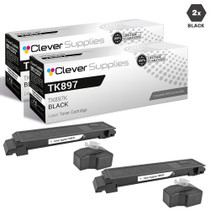
Compatible Kyocera-Mita TK897 Toner Cartridge 2 Black (TK897K)
/>


Kyocera-mita
Compatible Kyocera-Mita TK897 (TK897K) Toner Cartridge Cyan