





 See Compatible Printers
 Read more about our ink!
Canon
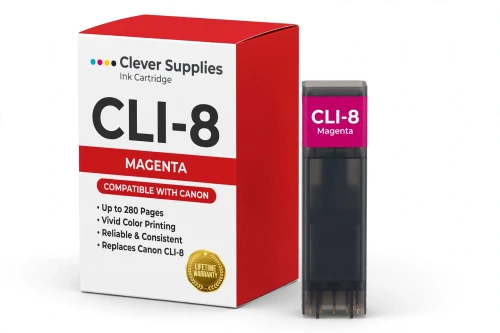
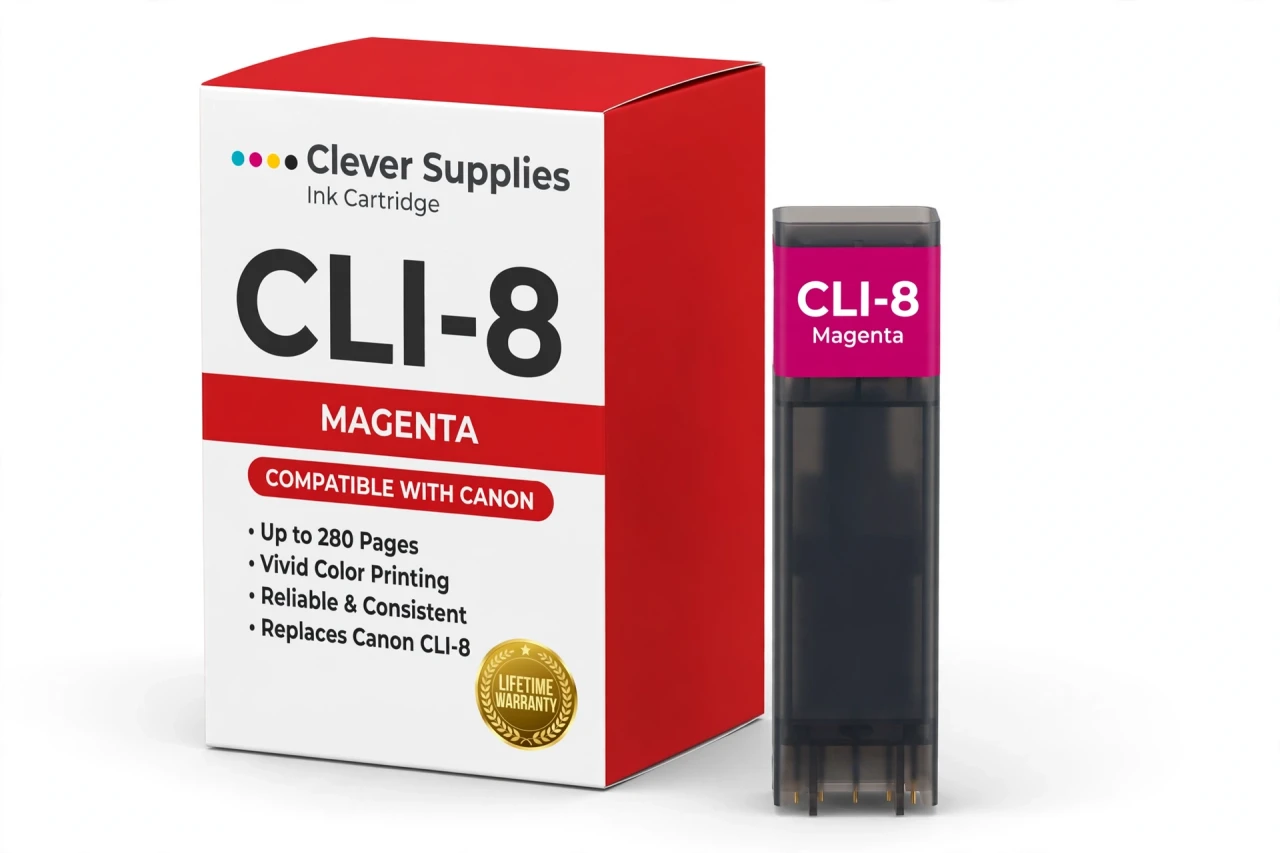
Compatible Canon CLI-8M Magenta Ink Cartridge
- Page Yield:
- Up to 280 pages
- Shipping:
- Calculated at Checkout

Amazon Price:

- Page Yield:
- Up to 280 pages
- Shipping:
- Calculated at Checkout
- Compatible Printers
- Canon PIXMA Pro9000
- Canon PIXMA Pro9000 Mark II
- Canon PIXMA iP3300
- Canon PIXMA iP3500
- Canon PIXMA iP4200
- Canon PIXMA iP4300
- Canon PIXMA iP4500
- Canon PIXMA iP5200
- Canon PIXMA iP5200R
- Canon PIXMA iP6600D
- Canon PIXMA iP6700D
- Canon PIXMA MP500
- Canon PIXMA MP510
- Canon PIXMA MP520
- Canon PIXMA MP530
- Canon PIXMA MP600
- Canon PIXMA MP610
- Canon PIXMA MP800
- Canon PIXMA MP800R
- Canon PIXMA MP810
- Canon PIXMA MP830
- Canon PIXMA MP950
- Canon PIXMA MP960
- Canon PIXMA MP970
- Canon PIXMA MX700
- Canon PIXMA MX850
- Specifications
- SKU:
- CS-CN-8-M
- Condition:
- New Compatible
- OEM Part #:
- CLI-8M
- Color:
- Magenta
- Ink Type:
- Dye
- Page Yield:
- Up to 280 pages
- Chip:
- New compatible chip
- Warranty:
- Lifetime Warranty
- Returns:
- 1-Year Free Returns
- Description
How many pages does the CLI-8M print?
It is rated at up to 280 pages — the cartridge supplier's rating — Canon published no official yield table for this family. Page counts are measured on standard test pages at around 5% coverage, so your own yield moves with what you print: dense photos use far more ink than text.
Which printers take the CLI-8M?
It fits Canon PIXMA Pro9000, Canon PIXMA Pro9000 Mark II, Canon PIXMA iP3300, Canon PIXMA iP3500 and 22 more. The complete verified list is in the Compatible Printers section on this page — check your model there before ordering.
What does the magenta tank do?
Magenta is one of the three process colors: it mixes with cyan and yellow to build the full color range, and it carries the reds, pinks and much of the warmth in skin tones.
Does this cartridge have a chip?
Yes — a new compatible chip that reports ink levels to the printer, so the low-ink warnings keep working. It is not a refilled original shell with a reset chip.
Can I mix this cartridge with genuine Canon cartridges?
Yes. Each slot is read independently, so a compatible tank beside genuine Canon tanks (or the other way round) prints normally — you can switch one color at a time.
My printer shows a message after installing — what do I do?
Acknowledge the on-screen message, reseat the cartridge until it clicks, and restart the printer. If the message persists, wipe the gold chip contacts with a dry lint-free cloth and reinstall.
Is this a genuine Canon CLI-8M?
No. It is a Clever Supplies compatible cartridge built to the CLI-8M specification and covered by our lifetime warranty. It is not manufactured by Canon; the Canon name appears only to identify the printers it fits.
What if the cartridge leaks, is not recognized or prints badly?
Stop and contact us — do not keep printing on a faulty cartridge. The lifetime warranty covers recognition failures, leaks and print-quality defects: we replace the cartridge or refund you, and returns are free for the first year.
How can I tell the magenta tank is the one running low?
Watch the warm colors. Magenta carries the reds, pinks and much of the warmth in skin tones, so as the CLI-8M fades, reds lose their depth, pinks turn pale or lean orange, and faces in photos start to look flat or faintly green. Blues, greens and black text stay normal, which makes magenta's decline easy to miss until a photo gives it away. Reprinting a familiar photo with strong reds is the fastest check: if it no longer matches how that image used to look, this is the tank to replace.
What is the difference between this tank and the photo magenta one when I reorder?
They are two separate cartridges. This is the CLI-8M, the full-strength magenta. The photo magenta is the CLI-8PM, a lighter dye load used for smooth gradients in skin tones and sunsets, and only some printers in this family have a slot for it. The two are not interchangeable, so order by the exact code printed on the tank you pull out. Guessing by color name alone — just asking for "magenta" — is the most common way the wrong tank arrives, because both boxes honestly describe a magenta cartridge.
- Reviews
The Clever Supplies compatible Canon CLI-8M Magenta ink cartridge replaces the Canon CLI-8M and fits 26 verified printers — Canon PIXMA Pro9000, Canon PIXMA Pro9000 Mark II, Canon PIXMA iP3300 and 23 more are in the full list under Compatible Printers below. It is rated at up to 280 pages (the cartridge supplier's rating — Canon published no official yield table for this family) and carries a new compatible chip that reports ink levels to the printer.
This cartridge belongs to the PGI-5 / CLI-8 family — Canon's first chipped individual-tank generation: a pigment PGI-5BK for text beside dye-based CLI-8 color tanks, with Photo Cyan and Photo Magenta added on the photo models and Red and Green reserved for the eight-tank PIXMA Pro9000 line. Canon has long since discontinued these tanks, so a well-made compatible supply is what keeps this generation of PIXMA printers in service. Covered by our lifetime warranty with free returns for the first year.


Shop the Canon PGI-5 / CLI-8 family: PGI-5BK Pigment Black Ink Cartridge — $8.99 · CLI-8BK Black Ink Cartridge — $8.99 · CLI-8C Cyan Ink Cartridge — $8.99 · CLI-8G Green Ink Cartridge — $8.99 · CLI-8M Magenta Ink Cartridge — $8.99 · CLI-8PC Photo Cyan Ink Cartridge — $8.99 · CLI-8PM Photo Magenta Ink Cartridge — $8.99 · CLI-8R Red Ink Cartridge — $8.99 · CLI-8Y Yellow Ink Cartridge — $8.99 · PGI-5 / CLI-8 Set of 14 BCMY Ink Cartridges — $62.79 · PGI-5 / CLI-8 Set of 15 BCMY + Photo Cyan + Photo Magenta Ink Cartridges — $67.28 · PGI-5 / CLI-8 Set of 16 BCMY Ink Cartridges — $71.76 · PGI-5 / CLI-8 Set of 14 BCMY + Photo Cyan + Photo Magenta Ink Cartridges — $62.79 · PGI-5 / CLI-8 Set of 17 BCMY + Photo Cyan + Photo Magenta + Red + Green Ink Cartridges — $76.25
Frequently Asked Questions
Related Items

Canon
Compatible Canon CLI-42 Magenta Ink Cartridge
The Clever Supplies compatible Canon CLI-42 Magenta ink cartridge replaces the Canon CLI-42 and fits the PIXMA PRO-100 — the only printer in this family. It is rated at about 416 pages; our cartridge...


Canon
Compatible Canon CLI-65 Magenta Ink Cartridge
The Clever Supplies compatible Canon CLI-65 Magenta ink cartridge replaces the Canon CLI-65 and fits 2 verified printers — the PIXMA PRO-200 and the rest of the list under Compatible Printers below...
Canon
Compatible Canon CLI-231M Magenta Ink Cartridge
The Clever Supplies compatible Canon CLI-231M Magenta ink cartridge replaces the Canon CLI-231M and fits 1 verified printer — Canon PIXMA TS8820 are in the full list under Compatible Printers below...

Canon
Compatible Canon CLI-281XXL Magenta Ink Cartridge
The Clever Supplies compatible Canon CLI-281XXL Magenta ink cartridge replaces the Canon CLI-281XXL and fits 16 verified printers — Canon PIXMA TR7520,