






 See Compatible Printers
 Read more about our ink!
Brother
Compatible Brother TN227 Toner Cartridge Cyan
- Page Yield:
- Color:2300
- Availability:
- In Stock
- Shipping:
- Calculated at Checkout

Amazon Price:

- Page Yield:
- Color:2300
- Availability:
- In Stock
- Shipping:
- Calculated at Checkout
- Compatible Printers
- Specifications
- SKU:
- CS-Bro-New-tn227-Cyan
- Printer Brand:
- Brother
- OEM Number:
- TN227C
- Ink Color:
- Cyan
- Page Yield:
- Color:2300
- Printer Type:
- Laser Cartridge
- Condition:
- New Compatible
- Description
- Reviews

/> 
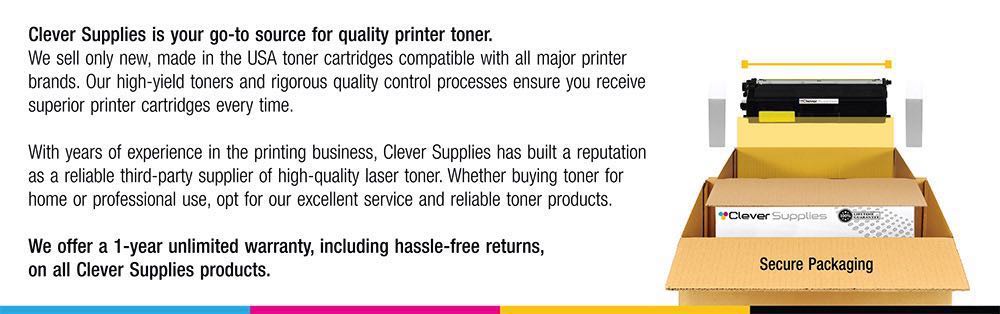
Experience vibrant and high-quality prints with the Brother TN227 and TN223 toner cartridges, specifically designed for select printer models including HL-L3270CDW, HL-L3210CW, HL-L3230CDW, HL-L3230CDN, HL-L3290CDW, MFC-L3710CDW, MFC-L3750CDW, and MFC-L3770CDW. These cartridges come in TN227BK (Black), TN227 Cyan, TN227 Yellow, TN227 Magenta, and TN-223BK/C/M/Y High Yield, offering a comprehensive color range for all your printing needs. Enhance your printing capabilities with the TN-227 and TN-223 toner cartridges, providing exceptional color accuracy and clarity. The TN227BK ensures sharp and bold black text, making it ideal for professional documents and everyday printing. Meanwhile, the TN227 Cyan, TN227 Yellow, and TN227 Magenta cartridges bring life to your prints with vivid and true-to-life colors. For those seeking high-volume printing solutions, the TN-227BK/C/M/Y High Yield cartridges are the perfect choice, offering extended page yields and reducing the frequency of replacements. Compatible with HL-L3270CDW, HL-L3210CW, HL-L3230CDW, HL-L3230CDN, HL-L3290CDW, MFC-L3710CDW, MFC-L3750CDW, and MFC-L3770CDW printers, these toner cartridges ensure seamless integration and optimal performance. The TN 227 and TN 223 series is engineered to work harmoniously with Brother printers, maintaining the reliability and efficiency you expect. Upgrade your printing experience by choosing compatible Brother toner cartridges. TN227 and TN223 cartridges are precision-engineered to meet the high standards set by Brother, providing consistent results and hassle-free printing. Whether you're printing professional documents with the HL-L3270CDW or creating colorful graphics with the MFC-L3750CDW, the TN227 and TN223 toner cartridges offer a reliable and high-quality solution for all your printing needs. Trust Brother for exceptional prints and lasting performance.
Frequently Asked Questions
Why is cyan sold as its own cartridge?
Because color printers consume their colors unevenly, and cyan often leads. Skies, water, logos and the blue-heavy graphics of business documents all draw on this cartridge. When the machine says cyan is the one that is out, this TN227C — up to 2,300 pages, $29.05 — is the single-color answer that spares you replacing colors that still have life.
Which printers does this cyan fit?
The HL-L3210CW, HL-L3230CDW, HL-L3270CDW, HL-L3290CDW, MFC-L3710CW, MFC-L3750CDW and MFC-L3770CDW.
Can I replace only the cyan and keep the other colors?
Yes — that is the design of a four-cartridge system. Each color is an independent unit with its own drum and its own counter. Replace the empty one; the others continue where they left off. This is the core economy of the platform, and the reason singles like this one exist.
How does the TN227C compare with the standard TN223C?
The TN223C is standard yield at up to 1,300 pages; this TN227C is high yield at up to 2,300, in the same slot. Per page, the high-yield cyan costs about 1.26¢ here. Owners who print color regularly standardize on the 227 line; occasional color users may find the 223's lower shelf price sufficient.
What does the swap involve?
Cover up, slide the cyan unit out, press the green lever, lift the spent cartridge off its drum, click the TN227C in, slide the corona tab, return the unit. Rock the cartridge gently first. If the machine keeps the old count, reset the cyan toner counter from the menu.
My blues look wrong after the change — what should I check?
Give it a few pages first: a fresh cartridge needs a short run to reach full density. Then confirm the cartridge clicked fully home and that the protective parts came away. If a cast persists across pages, run the printer's color calibration from the menu — it realigns all four colors together.
Does an empty cyan stop black printing?
Black-only documents can usually continue with the driver set to monochrome, but the machine may insist on a present, non-empty set for color jobs and can pause entirely once a color is fully exhausted. Keeping each color replaced as it empties is the friction-free routine.
What role does cyan play in my actual documents?
More than you would guess: cyan plus yellow makes your greens' blue half, cyan plus magenta makes blues and purples, and cyan alone carries sky, water and the cool tones of photographs. A tired cyan quietly skews everything toward pink — wrong-looking logos are often a cyan problem wearing a disguise.
Is this an original Brother cartridge?
No — a Clever Supplies compatible TN227C, built to the same fit and 2,300-page specification, with a 1-year warranty and free returns for a full year. It cannot void your printer's warranty under federal law.
Should I be buying the set instead of singles?
If two or more colors are near empty together, the Set of 4 refreshes all four at a better combined price. If only cyan is calling, this single is the proportionate buy. Let the counters, not the calendar, make the call.
About This TN227C Compatible Cyan Toner Cartridge
A high-yield cyan rated at 2,300 pages for Brother's TN223/TN227 color platform, priced at $29.05 like every single in this family. It is the cartridge that keeps skies, charts and blue brand elements honest. When the whole set needs refreshing at once, the TN227 four-color set bundles cyan with black, magenta and yellow.
Related Items


Brother
Compatible Brother TN227 (TN227C) Toner Cartridge Cyan
/>



Brother
Compatible Brother TN227 Toner Cartridge Black
/>


Brother
Compatible Brother TN227 Toner Cartridge Yellow
/>


Brother
Compatible Brother TN227 Toner Cartridge Magenta
/>