






 See Compatible Printers
 Read more about our ink!
Brother
Compatible Brother TN221-TN225 (TN-225C TN-225M TN-225Y) Toner Cartridge 6 Color Set

Amazon Price:

- Page Yield:
- Color: 2200
- Availability:
- In Stock
- Shipping:
- Free Shipping
- Compatible Printers
- Specifications
- SKU:
- Clever-Brother-Tn-221-225-6Set
- Printer Brand:
- Brother
- OEM Number:
- TN-225C TN-225M TN-225Y
- Ink Color:
- Cyan, Magenta,Yellow
- Page Yield:
- Color: 2200
- Printer Type:
- Laser Cartridge
- Condition:
- New Compatible
- Description
- Reviews

/> 

Enhance your printing experience with the TN221 and TN225 toner cartridge series, meticulously crafted for Brother laser printers including the HL-3140CW, HL-3150CW, HL-3170CDW, HL-3180CDW, MFC-9130CW, MFC-9330CDW, MFC-9340CDW, and DCP-9020CDN. The TN 221 and TN 225 series encompasses the TN225BK, TN225C, TN225M, and TN225Y color cartridges, delivering exceptional print quality and reliability for both monochrome and color printing needs. The TN225BK black cartridge ensures sharp, legible text and precise monochrome graphics, making it an ideal choice for various professional printing tasks. Dive into a world of vibrant color with the TN225C, TN225M, and TN225Y cartridges, designed to infuse your prints with vivid and accurate hues. Tailored for compatibility with specified Brother printers, these color cartridges elevate the quality of your documents, from colorful presentations to eye-catching marketing materials. Experience seamless integration with Brother printers, including the HL-3140CW, HL-3150CW, HL-3170CDW, HL-3180CDW, MFC-9130CW, MFC-9330CDW, MFC-9340CDW, and DCP-9020CDN. The TN-221 and TN-225 series ensures consistent and reliable performance, meeting the demands of your printing tasks with precision. TN221 and TN225 toner cartridges are designed to meet the highest standards of quality, providing assurance of compatibility and performance. Trust these compatible Brother cartridges to deliver the results you expect for your HL and MFC series printers. In conclusion, the TN221 and TN225 series toner cartridges redefine your printing experience, offering superior results for Brother laser printers, including the HL-3140CW, HL-3150CW, HL-3170CDW, HL-3180CDW, MFC-9130CW, MFC-9330CDW, MFC-9340CDW, and DCP-9020CDN. Elevate your printing tasks with the precision and reliability of the TN221 and TN225 series.
Frequently Asked Questions
Our office prints color all day — is a six-cartridge set overkill?
Not for a machine that earns its keep in color. Heavy color work can empty a 2,200-page cartridge in a few busy weeks, and the colors never run dry on the same day. Six on the shelf means whichever warning appears — cyan on Monday, yellow on Friday — the replacement is already within arm's reach.
How does the math look against buying singles?
Six single TN225 colors would cost $167.28 at $27.88 each. This set is $74.83, so each cartridge lands at $12.47. For a printer that goes through colors steadily, that gap adds up to real money across a year. For the full shelf, see our Best Brother TN221 Toner Cartridges guide: the TN221BK black cartridge, the high-yield TN225 colors, the mixed sets and the DR221 drum units are compared side by side — including what each route costs per page when a single slot or the whole printer runs dry.
Is there a black cartridge in this box?
No — this is color-only stock. Black on this platform is the TN221BK, rated at 2,500 pages and sold on its own page. Many offices pair one of these six-packs with a separate black multi-pack.
Which printers is this stock for?
The Brother TN221/TN225 family, including HL-3140, HL-3170, HL-3140CW, HL-3170CDW, MFC-9130, MFC-9330, MFC-9340, MFC-9130CW, MFC-9330CDW, MFC-9340CDW, DCP-9020, DCP-9020CDN, DCP-9020CDW, HL-3140CDW, HL-3150CDN, HL-3150CDW, HL-3170CDW, MFC-9140CDN, MFC-9330CW and MFC-9340CW. Any machine in that family draws from this same pool of colors, so one shelf stock can serve two matching printers in the same office.
Do I have to rotate the cartridges in any special order?
Just use the oldest box first and keep the rest sealed until needed. When a color warning appears, install that color only — the others keep waiting, and the printer's counters track each one separately.
What backing comes with a bulk buy like this?
The same as a single: 1-year warranty and 1-year free returns on every cartridge, per our shipping & returns page. We dispatch from IL, PA, GA and CA, and support hours are Mon–Fri, 9 AM–5 PM CST if anything needs sorting out.
Do copies on the MFC models draw on these color cartridges too?
Yes. On the MFC-9130CW and MFC-9330CDW in this set's printer list, the glass is just another way of asking the printer to print: a color copy spends TN225C, TN225M and TN225Y toner exactly as a computer job does. An office that copies color documents all day can therefore move through a six-cartridge set considerably faster than its computer print count suggests. When you judge whether the set is the right size, count copied pages alongside printed ones.
How do I keep the second round of colors from being opened too early?
Label the rounds. This set holds two rounds of the three TN225 colors; when it arrives, mark one trio as round one and the other as round two, with the date, before anything goes on the shelf. Without the labels, whoever restocks the printer will grab whichever box is on top, and a year later nobody knows which cartridges are oldest. The marked rounds make first-in, first-out automatic — and they make a glance at the shelf an honest stock count.
How do I test a spare that has sat for months before trusting it with a big run?
Give it a small job first. Install the long-shelved TN225 cartridge and print a short, familiar color page; read the third or fourth sheet for full, even color. If it matches what the printer should produce, the spare has proved itself and can take the big run without a second thought. If it prints weakly, you have learned that on a two-minute test instead of mid-deadline — and the other sealed round is still there as your fallback.
When one color looks off, how do I isolate that channel?
Print a page that exercises the colors separately — a chart or test page with distinct cyan, magenta and yellow areas — and look at which block is wrong. Muddy greens usually point at the yellow channel, shifted skies at cyan, flat reds at magenta. Testing the suspected TN225 cartridge alone, by reseating it and reprinting that same page, confirms or clears it without disturbing the colors that are printing correctly. Isolate first, replace second: one channel at a time.
About This TN225 Six-Pack for Color-Heavy Offices
Built for the TN221/TN225 printer that prints color as its main job, this six-cartridge set drops the per-cartridge cost to $12.47 and keeps 13,200 pages of color capacity in-house. It is the working stock option in our Brother compatible lineup for this platform.
Related Items


Brother
Compatible Brother TN221-TN225 (TN-225C TN-225M TN-225Y) Toner Cartridge 3 Color Set
/>



Brother
Compatible Brother TN221-TN225 (TN-221BK TN-225C TN-225M TN-225Y) Toner Cartridge 5 Color Set
/>
Brother
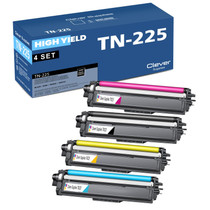
Compatible Brother TN221-TN225 (TN-221BK TN-225C TN-225M TN-225Y) Toner Cartridge 4 Color Set
/>


Brother
Compatible Brother TN225 Toner Cartridge 6 Color Set (TN-225C, TN-225M, TN-225Y)
/>