




LBP-3560
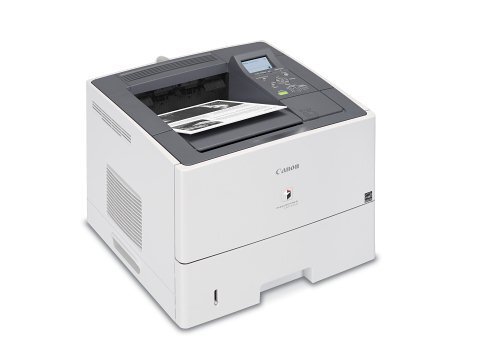
The LBP-3560 badge marks Canon's 42 ppm departmental desktop printer: full print-language support with UFR II, PCL and PostScript, automatic two-sided printing and wired networking out of the box, with a 5-line LCD keeping job status readable at a glance. Its toner is the Canon GPR-40, rated at 12,500 pages, and this page also stocks the high-yield GPR-40 H build of the same cartridge for queues that never seem to pause.
A departmental printer lives a different life from a personal one: long runs, mixed jobs from a dozen desks, and no single owner watching the toner gauge. The LBP-3560 was specified for exactly that — PostScript for the design team's files, PCL for the line-of-business applications, duplexing as the default rather than the exception. Supply planning has to match that scale, which is why the standard cartridge here already starts at a 12,500-page rating and the high-yield build sits above it.
Toner Cartridges for LBP-3560
| Cartridge | Color | Page Yield |
|---|---|---|
| Canon GPR-40 | Black | 12,500 pages |
| Canon GPR-40 H High Yield | Black | See product page |
| Canon GPR-40 H High Yield 3 Pack | Black | See product page |
| Canon GPR-40 H High Yield 5 Pack | Black | See product page |
| Canon GPR-40 H Premium Quality 5 Pack | Black | See product page |
Which cartridge should you buy?
Begin with the standard Canon GPR-40: at 12,500 rated pages it is already a departmental-class fill, and for many offices one cartridge plus one sealed spare is a complete policy. Where the machine runs near-continuous batch work, the GPR-40 H high-yield build stretches the swap interval further — its rating is printed on its product page, so compare it against your monthly volume before committing. Departments running several of these printers should look at the H 3 pack and 5 pack, which turn the spare shelf into part of the same order.
Chip, toner and everyday use
On a networked machine the cartridge chip does departmental duty: it is what reports the fill level the whole office relies on, so seat replacements fully until they click and the new cartridge registers cleanly. When output fades near the end of a fill, rocking the cartridge gently levels the remaining toner and restores density for the pages left in it. Store spares sealed and flat, away from heat and sunlight. Judge consumption against the rating's basis — 12,500 pages at about 5% coverage — since dense departmental documents spend toner considerably faster.
Frequently Asked Questions
Which toner cartridge fits the LBP-3560?
The Canon GPR-40. The standard build is rated at 12,500 pages, and a high-yield GPR-40 H build of the same cartridge is listed here for heavier queues.
What is the difference between the GPR-40 and the GPR-40 H?
The H is the high-yield build of the same cartridge family — same fit, longer fill. The standard cartridge's rating is 12,500 pages; the H build's rating is shown on its own product page.
Does the LBP-3580 use this same cartridge?
Yes. The LBP-3580 runs on the same GPR-40 supply, so departments with both models stock a single cartridge type.
How long should one cartridge last in a department?
It depends entirely on the department's monthly volume and page density. Use the 12,500-page rating at 5% coverage as the yardstick and track your first cartridge's real life to calibrate the reorder point.
More printers that use the same cartridges
The GPR-40 family is a tight one — this cartridge serves only these departmental models: ImageRunner LBP3560, ImageRunner LBP3580, LBP-3580, ImageRunner LBP.