




ImageRunner 1435i
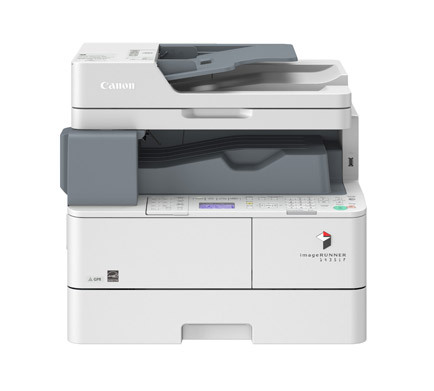
Built for offices that scan far more than they fax, the imageRUNNER 1435i is a 37-ppm monochrome multifunction machine with Gigabit networking, a duplexing document feeder and scan-to destinations baked in. All of that output runs on one cartridge, the Canon GPR54, rated at 17,600 pages — a long interval between swaps for a shared departmental box.
The 1435i deliberately leaves the fax board out. Its sending path is Canon's Color Send instead: paper goes into the two-sided feeder and lands as a file in email, on an FTP server or in an SMB folder. One honest caveat for spec shoppers — PCL 5e/6 and Adobe PostScript 3 are optional extras on this model, while both ship standard on the imageRUNNER 1435iF. If your print drivers are already PCL-based and nobody faxes, that trade rarely matters in daily use.
Toner Cartridges for imageRUNNER 1435i
| Cartridge | Color | Page Yield |
|---|---|---|
| Canon GPR54 Toner Cartridge | Black | 17,600 pages |
| Canon GPR54 Toner Cartridge Black 2 Pack | Black | 17,600 pages per cartridge |
| Canon GPR54 Toner Cartridge Black 4 Pack | Black | 17,600 pages per cartridge |
Which cartridge should you buy?
There is exactly one cartridge code for this machine, so the choice is how many to keep in the building. At 17,600 pages a single GPR54 already covers months of ordinary departmental printing, and a lone machine in a small office may never need more than one spare behind it. Shared machines are different: when a cartridge this size finally runs dry, the whole copy point stops, so a 2 pack — one installed, one shelved — is the sensible floor for a workgroup. Facilities teams standardizing several 1435-series machines on one code usually buy the 4 pack and let the shelf, not the calendar, tell them when to reorder.
Chip, toner and everyday use
A cartridge rated this high rewards a little patience at install time. Unpack it over a bin, pull the sealing strip in one straight motion, and rock the cartridge gently so the toner bed settles evenly before it goes in; a rushed install is the usual cause of a light first page. The 17,600-page figure assumes around 5% coverage, and scan-heavy offices that mostly print short emails and forms often see more pages than the rating, while full-page reports pull it down. Store spares flat and sealed, and write the install date on the box you fit — with intervals this long, nobody remembers when the current one went in.
Frequently Asked Questions
Does the imageRUNNER 1435i have a fax?
No. The 1435i was specified without a fax board; its outbound path for paper is Color Send scanning to email, FTP or SMB. Offices that still need a phone-line fax in this family step up to the 1435iF, which uses the same GPR54 cartridge.
What toner does the 1435i take, and how long does it last?
It takes the Canon GPR54 black cartridge, rated at 17,600 pages at about 5% coverage. There is no separate drum unit to track on the shelf — the cartridge is the only consumable listed for this machine.
Is PCL printing included on the 1435i?
Not as standard. PCL 5e/6 and Adobe PostScript 3 are optional on the 1435i, unlike on its fax-equipped sibling where both are built in. Check which languages your print server actually sends before deciding whether the option matters to you.
What warranty covers these cartridges?
The compatible GPR54 cartridges here carry a 1-year warranty with 1-year returns, and each carries the chip the 1435i expects to see at install.
More printers that use the same cartridges
The whole 1435 trio drinks from the same cartridge: imageRUNNER 1435P, imageRUNNER 1435iF.