




ImageClass MF3240
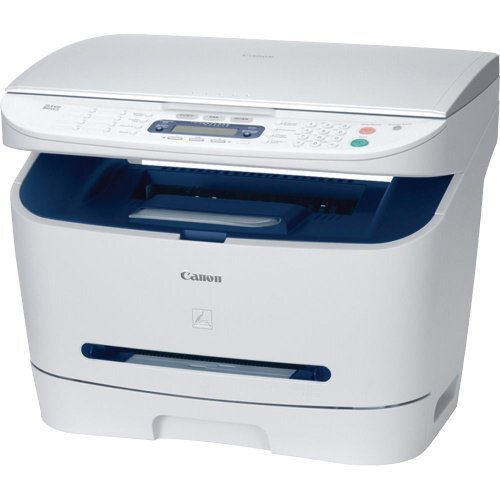
At the top of the MF3200 family sits the imageCLASS MF3240, the version that does everything: a 21 ppm monochrome laser platform with print, copy, scan and fax in one cabinet. The fax side is serious kit, a Super G3 modem moving at 33.6 Kbps with memory for 256 pages and eight one-touch dials, while scanning is handled in color over a USB 2.0 connection. Network printing is the one thing not built in; it arrives only through an optional external print server. For toner, the machine keeps things simple with the Canon X25 black cartridge, rated for up to 2,500 pages.
This is a printer bought by offices that still run on signed paper: clinics, legal desks, suppliers whose customers fax orders in. In that setting the cartridge matters beyond print quality, because a fax that cannot print is a message lost. The MF3240's single-cartridge design helps here. One supply feeds the copier, the printer and the fax receiver alike, so keeping that one supply in stock keeps every function alive at once.
Toner Cartridges for ImageClass MF3240
| Cartridge | Color | Page Yield |
|---|---|---|
| Canon X25 Black | Black | 2,500 pages |
| Canon X25 Black 2 Pack | Black | 2,500 pages per cartridge |
| Canon X25 Black 5 Pack | Black | 2,500 pages per cartridge |
| Canon X25 Black 3 Pack | Black | 2,500 pages per cartridge |
| Canon X25 Black 10 Pack | Black | 2,500 pages per cartridge |
| Canon X25 Premium Quality Black 5 Pack | Black | 2,500 pages per cartridge |
Which cartridge should you buy?
For a fax-driven machine, the real choice is how much interruption risk you are willing to carry. A single cartridge is fine for a quiet desk, but the moment the MF3240 is the office's fax endpoint, a spare stops being optional. The 2 and 3 packs are the natural fit for most small offices: one cartridge in the machine, one or two on the shelf, and incoming orders never wait on a delivery. Sites with steady fax and copy traffic should look at the 5 pack, the premium quality 5 pack or the 10 pack, where the per-cartridge price drops and reordering becomes a quarterly habit instead of a monthly one. Every route leads to the same X25; only the depth of your buffer changes.
Chip, toner and everyday use
The cartridge change is quick enough to do between phone calls: lift the cover, pull the old unit, rock the new one side to side a few times so the toner lies evenly, remove the seal and slide it in until it locks. The printer registers the fresh cartridge on its own. Page ratings assume about 5 percent coverage, and fax printouts of dense forms will use toner faster than plain letters. If a page starts to fade, a gentle rock of the installed cartridge redistributes what is left and buys time. Compatible cartridges from this page come with a 1-year warranty and 1-year returns.
Frequently Asked Questions
What toner does the imageCLASS MF3240 take?
It takes the black X25 cartridge and nothing else. Print, copy and fax output all draw on that one unit, which is why the multipacks on this page exist.
Can the MF3240 print from several computers on a network?
Not out of the box. The built-in connection is USB 2.0 to a single computer; Canon offered network printing only through an optional external print server added to the machine.
The scanner is color. Does it need color toner?
No. Scanning captures color, but printing is monochrome only, so the single black cartridge covers every printed page the machine makes.
How much toner does the fax side use?
Incoming faxes print on the same cartridge as everything else, and the 2,500-page rating is quoted at 5 percent coverage. A fax-heavy week of dense forms will consume it faster than the rating suggests.
More printers that use the same cartridges
Plenty of neighboring Canon machines drink from the same cartridge shelf, including these LaserBase units: LaserBase MF3110, LaserBase MF3220, LaserBase MF3240, LaserBase MF5630, LaserBase MF5650, LaserBase MF5770; the imageCLASS MF range: ImageClass MF3110, ImageClass MF3111, ImageClass MF3112, ImageClass MF3200, ImageClass MF3222, ImageClass MF530, ImageClass MF5500, ImageClass MF5530, ImageClass MF5550, ImageClass MF5570, ImageClass MF5630, ImageClass MF5650, ImageClass MF5700, ImageClass MF5730, ImageClass MF5750, ImageClass MF5770; LBP printers: LBP-300LDA, LBP-300LDF, LBP-300N, LBP-3200, LBP-3210.