




What Toner Does the Brother MFC-L8600CDW Use?
Posted by Clever Supplies on Nov 17th 2026
Quick answer: The Brother MFC-L8600CDW uses the TN331 standard-yield cartridges (about 2,500 pages black, 1,500 per colour) or the TN336 high-yield cartridges (about 4,000 pages black, 3,500 per colour). Four cartridges run together — black, cyan, magenta and yellow — and each one locks into its own DR331CL drum unit; the four drums are a set rated at around 25,000 pages.
The Small-Workgroup All-Rounder
If Brother's L8000 family has a centre of gravity, this is it: colour printing, copying, scanning and fax in one wireless machine, running at up to 30 pages per minute in colour and black. A 3.7-inch colour touchscreen anchors the panel, a 35-sheet feeder handles scanning and copying, and the touchscreen doubles as a launch pad for scanning straight to cloud services — the feature that dates this generation pleasantly, because it arrived before that was commonplace. Automatic two-sided printing is standard, and paper starts at 250 sheets plus a 50-sheet multipurpose tray, expandable to 800.
An all-rounder consumes toner like one, too: prints, copies and received faxes all draw on the same four cartridges, which shapes every recommendation below.
Yields for Every Colour
| Colour | TN331 (standard) | TN336 (high yield) |
|---|---|---|
| Black | ~2,500 pages | ~4,000 pages |
| Cyan | ~1,500 pages | ~3,500 pages |
| Magenta | ~1,500 pages | ~3,500 pages |
| Yellow | ~1,500 pages | ~3,500 pages |
Brother publishes these to ISO/IEC 19798. Read the colour column with a copier's eye: the standard colours hold barely 60 percent of the black rating, and copying colour originals spends them at real-world coverage, not test-page coverage. The TN336 colours, at 3,500 pages each, are the family's answer to that arithmetic.
Running Costs at Our Current Prices
Our store prices both sizes the same: $27.24 for black singles and $28.57 for colour singles, TN331 or TN336.
- TN331BK: $27.24 over ~2,500 pages ≈ 1.1¢ per page
- TN331C, TN331M, TN331Y: $28.57 over ~1,500 pages ≈ 1.9¢ per page
- TN336BK: $27.24 over ~4,000 pages ≈ 0.7¢ per page
- TN336C, TN336M, TN336Y: $28.57 over ~3,500 pages ≈ 0.8¢ per page
At equal prices the high-yield size halves colour running cost and trims black by a third, with no trade-off except shelf space. Figures are toner-only at rated coverage; a colour copy of a photograph costs more than the standard page assumes, in either size.
Changing a Cartridge
Leave the MFC on, open the front cover, and pull out the assembly for the colour named on the touchscreen. Press the green lock lever, lift the spent cartridge from its drum, and give its replacement a slow side-to-side rock before stripping off the protective cover. Click it into the drum until the lever springs up, slide the drum's green tab back and forth to clean the corona wire, and push the assembly home. Close the cover and give the machine a moment to recalibrate before the next job. If a "replace" message survives a well-seated cartridge, that colour's counter reset from the panel — set out in the manual — resolves it.
Drums, Belt and Waste Box
Four DR331CL drum units carry the toners and are counted as a set approaching 25,000 pages of combined printing, copying and fax output; a BU320CL belt unit and WT320CL waste toner box sit behind them on roughly 50,000-page cycles. The drum set's symptoms are repeating marks or grey backgrounds that a fresh cartridge fails to fix. Our store carries no DR331CL listing at all — neither compatible nor genuine — so this guide deliberately gives the drum no link; when the set reaches its limit, genuine drums are the purchase to plan.
Sets vs. Singles: The Honest Version
Our TN336 four-colour set costs $64.70; the four singles total $112.95, so the set saves about $48 at a full refresh. The TN331 four-colour set is likewise $64.70. The counter-case: this model's black cartridge often empties twice for every colour round, especially where fax traffic is heavy. Singles follow that rhythm honestly; a set bought at black-only time leaves three cartridges ageing in a drawer. Buy singles mid-cycle and the set when the levels converge.
Questions Owners Ask About This Model
Can the MFC-L8600CDW scan directly to cloud storage? Yes — its touchscreen offers scan-to-cloud shortcuts alongside scan-to-email and network folders. The feature is one of the reasons this model anchored so many small offices; it has no bearing on toner, which the same four cartridges supply.
Do received faxes really use my toner? They print, so they do. A fax-busy office can drain black toner without anyone sending a print job — another reason the TN336 black, at 4,000 rated pages, suits this model.
Can I mix TN331 and TN336 cartridges? Yes, freely. Each slot accepts either size, and mixing while you run down older stock is normal practice.
Why did the colours run low together when I mostly print black? Colour machines run small amounts of colour toner during calibration and cleaning cycles, and colour copies or a stray colour logo add up. Check the panel's page counters — they usually explain the levels before you suspect a leak.
What is the largest cartridge this machine takes? The TN336. Brother's range for this family stops there; cartridges from newer colour generations are a different design.
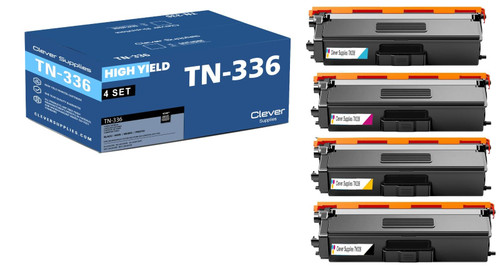 brother tn336 laser toner compatible cartridge high yield 4
 brother tn331 toner cartridge black tn331bk
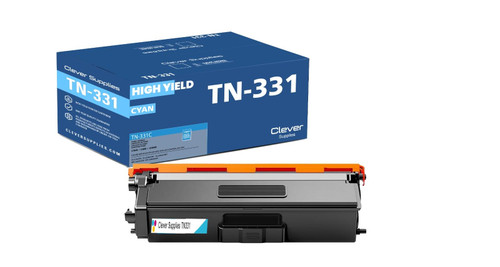 brother tn331 toner cartridge cyan tn331c
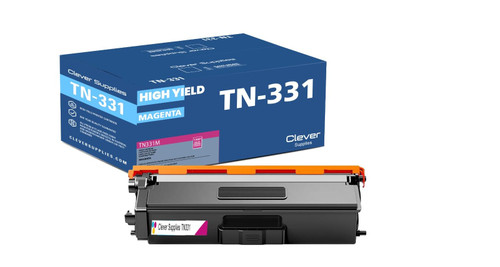 brother tn331 toner cartridge magenta tn331m
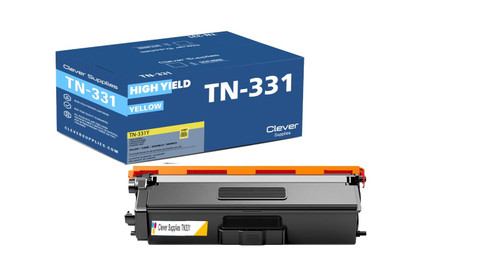 brother tn331 toner cartridge yellow tn331y
Key takeaways
- The top cartridge here is rated at 4,000 pages — fewer swaps, lower cost per page.
- Lowest cost per page in this family: ~0.7¢ with the highest-yield cartridge.
- Toner and drum are separate parts on this printer — replace only the one the printer asks for.
Other Printers That Use TN331 and TN336
The same cartridges and drum set also fit: HL-L8250CDN, HL-L8350CDW, HL-L8350CDWT, DCP-L8400CDN, DCP-L8450CDW, MFC-L8650CDW and MFC-L8850CDW.
All of this printer's supplies are gathered on our MFC-L8600CDW toner page.