




What Toner Does the Brother HL-L8250CDN Use?
Posted by Clever Supplies on Nov 14th 2026
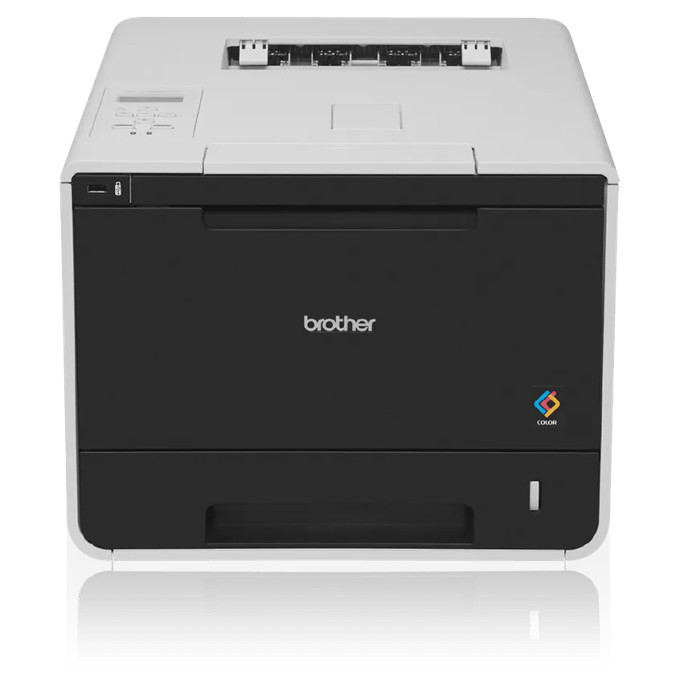
Quick answer: The Brother HL-L8250CDN uses the TN331 standard-yield cartridges (about 2,500 pages black, 1,500 per colour) or the TN336 high-yield cartridges (about 4,000 pages black, 3,500 per colour). Four cartridges are installed at once — black, cyan, magenta and yellow — and each one rides in a separate DR331CL drum unit, a four-drum set rated at roughly 25,000 pages.
The Wired Workgroup Printer in a Wireless Generation
Brother's L8000-series colour lasers mostly arrived with Wi-Fi on board, which makes the HL-L8250CDN the deliberate exception: it networks by Ethernet or connects by USB, full stop. Offices that keep printers off the wireless network on principle — clinics, finance desks, anywhere with a written IT policy — bought this model on purpose. It prints in colour and black at up to 30 pages per minute, handles two-sided jobs automatically, and feeds from a 250-sheet tray plus a 50-sheet multipurpose tray, expandable to 800 sheets with an optional tray.
The wired connection changes nothing about supplies, but it hints at the workload: a printer placed on a wired drop serves a fixed team, day after day, and that steadiness is exactly what high-yield toner is for.
Yields for Every Colour
| Colour | TN331 (standard) | TN336 (high yield) |
|---|---|---|
| Black | ~2,500 pages | ~4,000 pages |
| Cyan | ~1,500 pages | ~3,500 pages |
| Magenta | ~1,500 pages | ~3,500 pages |
| Yellow | ~1,500 pages | ~3,500 pages |
Brother publishes these ratings to ISO/IEC 19798. The colour jump is the story: each TN336 colour cartridge is rated at well over twice its TN331 equivalent, while black gains about three-fifths. Colour-heavy teams exhaust the standard colour set long before the black.
Running Costs at Our Current Prices
Our store prices the two sizes identically, which settles the arithmetic before it starts: black singles are $27.24 and colour singles are $28.57 in both TN331 and TN336 form.
- TN331BK: $27.24 ÷ ~2,500 pages ≈ 1.1¢ per page
- TN331C, TN331M, TN331Y: $28.57 ÷ ~1,500 pages ≈ 1.9¢ per page
- TN336BK: $27.24 ÷ ~4,000 pages ≈ 0.7¢ per page
- TN336C, TN336M, TN336Y: $28.57 ÷ ~3,500 pages ≈ 0.8¢ per page
Same price, more pages: on this shelf the TN336 is the default reorder and the standard size is the exception for printers being retired. Dense colour coverage raises real consumption above rated figures for both sizes equally.
Swapping a Cartridge
Leave the printer powered, open the front cover, and slide out the drum-and-toner assembly for the colour named on the display. Press the green lock lever, lift the empty cartridge out of its drum, and give the replacement a slow side-to-side tilt before removing its protective cover. Seat it in the drum until the lever clicks upward, slide the drum's green corona tab from side to side, and push the assembly back in. Close the cover and let the machine recalibrate. If the toner warning persists after a clean seating, reset that colour's counter from the panel — the steps are in the manual — instead of reseating the cartridge over and over.
The Drum Set Beneath the Toner
Each cartridge snaps into its own DR331CL drum unit, and the four drums are normally renewed as a set at around 25,000 pages; a belt unit (BU320CL) and waste toner box (WT320CL) live on approximately 50,000-page cycles behind them. Defects repeating at regular intervals, or a grey film that fresh toner does not cure, are drum symptoms. Our store does not carry the DR331CL in any form, compatible or genuine, so this guide explains the drum without a link — when the set's counter ends, source genuine drums and treat it as planned maintenance, not an emergency.
Sets vs. Singles: The Honest Version
When colours converge on empty together, the set wins outright: our TN336 four-colour set is $64.70, while four singles total $112.95 — about $48 saved. The TN331 four-colour set is likewise $64.70. The counter-case still holds: if only one colour is down and the rest read healthy on the printer's status page, a single replacement is the correct, cheaper-today order, and the set discount will still be there at the next full refresh.
Questions Owners Ask About This Model
Is the TN336 genuinely supported, or an oversized TN331? Genuinely supported. Brother lists TN336 as this model's high-yield size with its own ratings — 4,000 pages black and 3,500 pages per colour. The machine shipped with standard cartridges, which is the only reason the smaller size is familiar.
Can I mix TN331 and TN336 in the same machine? Yes. Each slot is independent; a high-yield black alongside standard colours is a common way to finish existing stock.
Why is there no Wi-Fi in the menus? This variant was built wired-only — Ethernet for shared use, USB for a single workstation. The wireless members of the family, such as the HL-L8350CDW, take exactly the same cartridges.
How do I know whether a print defect is toner or drum? Move the suspect colour's cartridge into a fresh state first: if a new cartridge prints clean, it was toner. Marks repeating at the same spacing on every page, unchanged by a toner swap, belong to the DR331CL drum set.
Does the printer track toner by pages or by toner level? By a page-and-coverage counter, which is why the "low" warning is an estimate. Printing can continue until the machine stops that colour; keeping a spare on the shelf beats watching the gauge.
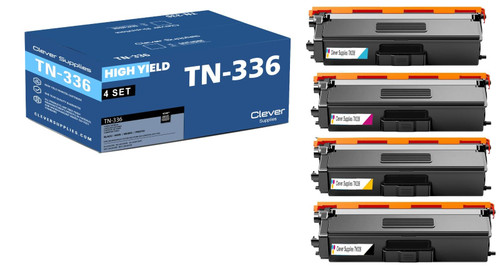 brother tn336 laser toner compatible cartridge high yield 4
 brother tn331 toner cartridge black tn331bk
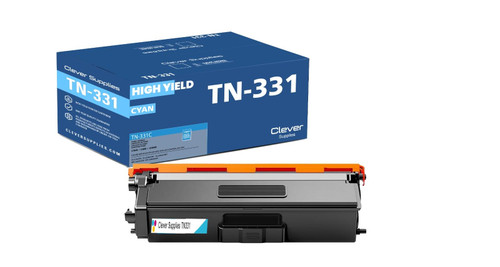 brother tn331 toner cartridge cyan tn331c
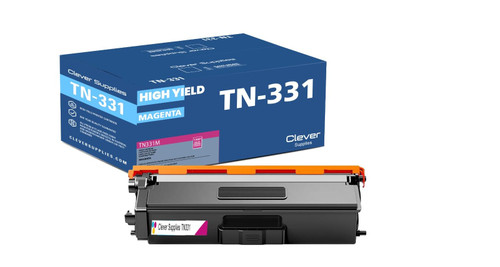 brother tn331 toner cartridge magenta tn331m
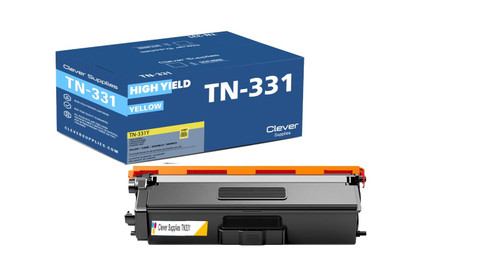 brother tn331 toner cartridge yellow tn331y
Key takeaways
- The top cartridge here is rated at 4,000 pages — fewer swaps, lower cost per page.
- Lowest cost per page in this family: ~0.7¢ with the highest-yield cartridge.
- Toner and drum are separate parts on this printer — replace only the one the printer asks for.
For the full family comparison — every pack size priced by the page — see the Best Brother TN336 Toner Cartridges buying guide.
Other Printers That Use TN331 and TN336
The identical cartridges and drum set also serve: HL-L8350CDW, HL-L8350CDWT, DCP-L8400CDN, DCP-L8450CDW, MFC-L8600CDW, MFC-L8650CDW and MFC-L8850CDW. One shelf of spares covers the whole family.
Every cartridge and set for this printer is collected on our HL-L8250CDN toner page.