




What Toner Does the Brother DCP-L8450CDW Use?
Posted by Clever Supplies on Nov 13th 2026
Quick answer: Two cartridge sizes fit the Brother DCP-L8450CDW: the TN331 standard yield (about 2,500 pages black, 1,500 per colour) and the TN336 high yield (about 4,000 pages black, 3,500 per colour). It runs four cartridges simultaneously — black, cyan, magenta and yellow — and each sits in its own DR331CL drum unit from a four-drum set rated at about 25,000 pages.
Built Around Its Scanner
Read the DCP-L8450CDW's specification in the order Brother intended and the scanner comes first in spirit: a 50-sheet automatic document feeder that scans both sides of a page, a 4.85-inch colour touchscreen to run it from, and two-sided printing, copying and scanning throughout. Wireless and Ethernet networking complete the picture, output runs at up to 30 pages per minute in colour and black, and paper handling starts at 250 sheets plus a 50-sheet multipurpose tray, expandable to 800. Like every DCP, it omits the fax modem.
That scanner is not a toner footnote — it is the main event for supplies. A machine bought to digitise files and copy colour documents spends its life making colour impressions, and its cartridges should be chosen for that reality rather than for a nominal "light office use."
Yields for Every Colour
| Colour | TN331 (standard) | TN336 (high yield) |
|---|---|---|
| Black | ~2,500 pages | ~4,000 pages |
| Cyan | ~1,500 pages | ~3,500 pages |
| Magenta | ~1,500 pages | ~3,500 pages |
| Yellow | ~1,500 pages | ~3,500 pages |
Ratings follow ISO/IEC 19798. Every colour cartridge more than doubles in the TN336 size; black gains about three-fifths. On a scan-and-copy-led machine, the colour rows are where a purchasing decision either matches the workload or falls short of it every few weeks.
What Each Page Costs at Our Prices
Our shelf prices the two sizes the same — black singles $27.24, colour singles $28.57 — which turns the yield table directly into a cost table.
- TN331BK: $27.24 across ~2,500 pages ≈ 1.1¢ per page
- TN331C, TN331M, TN331Y: $28.57 across ~1,500 pages ≈ 1.9¢ per page
- TN336BK: $27.24 across ~4,000 pages ≈ 0.7¢ per page
- TN336C, TN336M, TN336Y: $28.57 across ~3,500 pages ≈ 0.8¢ per page
At price parity the high-yield colour cartridges cut colour cost per page by well over half. Test-page arithmetic, as always: scanned originals and dense colour copies consume more than the 5-percent standard assumes, in both sizes alike.
Replacing a Cartridge
With the machine on, open the front cover and slide out the assembly for the colour the touchscreen identifies. Press the green lock lever, lift the old cartridge out of its drum, and rock the replacement gently side to side before taking off its protective cover. Click it into the drum until the lever rises, slide the drum's green tab across and back to clean the corona wire, and return the assembly. Close up and let the machine settle before resuming a scan batch. If the display still credits the old cartridge, run that colour's counter reset from the panel; the manual's toner section gives the steps.
The Drum Set, the Belt and the Waste Box
Four DR331CL drums sit beneath the toners, counted as a set at roughly 25,000 pages of printing and copying combined. Behind them cycle the BU320CL belt unit and the WT320CL waste toner box at about 50,000 pages each — the waste box matters on this model, because heavy colour copying fills it on schedule rather than as a surprise. Drum wear announces itself as repeating marks or background shading that survives a toner change. Our store does not stock the DR331CL in any form, so there is no drum link in this guide; genuine drums are the answer when the set reaches its limit.
Sets vs. Singles: The Honest Version
A TN336 four-colour set is $64.70 in our store; the same four as singles total $112.95, so the set saves about $48 when everything is due together. The TN331 four-colour set is also $64.70. The counter-case: this model's colours often drain unevenly — one colour in the originals dominates a scanning project for weeks. Replacing that colour alone is correct purchasing; the set earns its discount at the full refresh, not before.
Questions Owners Ask About This Model
Does scanning a document use toner? Scanning to a file uses none. The toner cost arrives when the machine prints or copies — but on this model those jobs are usually the point of the scan, so budget colour toner for the workflow, not just for printing.
Can it scan a two-sided document automatically? Yes. The 50-sheet feeder scans both sides, and the machine copies and prints two-sided as well — the duplex system is this model's defining feature.
Why is there no fax on a machine this complete? The DCP line is deliberately fax-free; Brother reserves fax for the MFC range. Owners who need fax in this family step to the MFC-L8850CDW — which, usefully, takes the identical cartridges.
Is TN336 the largest size this machine accepts? Yes. The family's range tops out at TN336. Larger cartridges from later Brother colour generations are a different design and do not fit.
My prints repeat a mark every few inches. Toner or drum? A repeating mark at a fixed interval that survives a fresh cartridge is the drum set's classic symptom. Toner defects fade or smear; drum defects repeat on schedule.
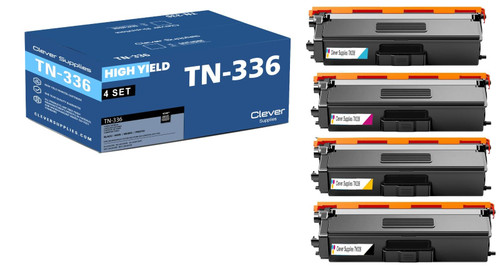 brother tn336 laser toner compatible cartridge high yield 4
 brother tn331 toner cartridge black tn331bk
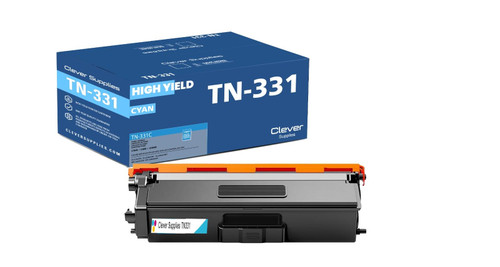 brother tn331 toner cartridge cyan tn331c
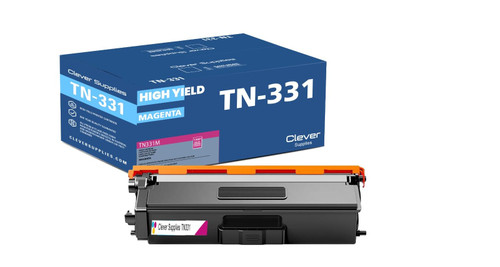 brother tn331 toner cartridge magenta tn331m
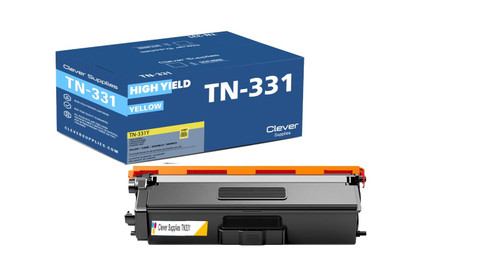 brother tn331 toner cartridge yellow tn331y
Key takeaways
- The top cartridge here is rated at 4,000 pages — fewer swaps, lower cost per page.
- Lowest cost per page in this family: ~0.7¢ with the highest-yield cartridge.
- Toner and drum are separate parts on this printer — replace only the one the printer asks for.
Other Printers That Use TN331 and TN336
The same cartridges and drum set also fit: HL-L8250CDN, HL-L8350CDW, HL-L8350CDWT, DCP-L8400CDN, MFC-L8600CDW, MFC-L8650CDW and MFC-L8850CDW.
Everything that fits this machine is gathered on our DCP-L8450CDW toner page.