




What Toner Does the Brother DCP-L8400CDN Use?
Posted by Clever Supplies on Nov 12th 2026
Quick answer: The Brother DCP-L8400CDN takes the TN331 standard-yield cartridges (about 2,500 pages black, 1,500 per colour) or the TN336 high-yield cartridges (about 4,000 pages black, 3,500 per colour) — four cartridges in the machine at once, one per colour. Each cartridge clicks into its own DR331CL drum unit, and the four drums form a set rated at roughly 25,000 pages.
The Three-in-One With No Fax and No Wireless
The DCP badge tells the first part of the story: print, copy and scan, but no fax modem — Brother's DCP line leaves telephony to the MFC range. The second part is the networking: the DCP-L8400CDN connects by Ethernet or USB only, a deliberate omission in a generation that mostly shipped with Wi-Fi. Output runs at up to 28 pages per minute in colour and black, a 3.7-inch colour touchscreen runs the panel, a 35-sheet document feeder handles copying and scanning, and automatic two-sided printing is standard. Paper starts at 250 sheets plus a 50-sheet multipurpose tray, expandable to 800.
For toner purposes the headline is simpler: this machine shares its engine family with the bigger L8000 machines, so its cartridges are the common ones, not a DCP-only oddity.
Yields for Every Colour
| Colour | TN331 (standard) | TN336 (high yield) |
|---|---|---|
| Black | ~2,500 pages | ~4,000 pages |
| Cyan | ~1,500 pages | ~3,500 pages |
| Magenta | ~1,500 pages | ~3,500 pages |
| Yellow | ~1,500 pages | ~3,500 pages |
Brother rates these to ISO/IEC 19798. The machine ships with full standard-size cartridges — 2,500 pages of black and 1,500 per colour in the box — so the first reorder decision arrives later than it does on starter-toner models. When it arrives, note the colour rows: high yield more than doubles each colour, while black grows by roughly three-fifths.
Running Costs at Our Current Prices
In our store the standard and high-yield singles are priced identically: $27.24 black, $28.57 per colour, in either family.
- TN331BK: $27.24 ÷ ~2,500 pages ≈ 1.1¢ per page
- TN331C, TN331M, TN331Y: $28.57 ÷ ~1,500 pages ≈ 1.9¢ per page
- TN336BK: $27.24 ÷ ~4,000 pages ≈ 0.7¢ per page
- TN336C, TN336M, TN336Y: $28.57 ÷ ~3,500 pages ≈ 0.8¢ per page
Equal prices make the TN336 the rational reorder in every colour; the TN331 remains the choice only for a machine being run down toward retirement. Copies draw from the same cartridges as prints, so a copying-heavy desk should read these figures as optimistic in both sizes.
Changing a Cartridge
Leave the machine on, open the front cover, and draw out the assembly for the colour the touchscreen names. Press the green lock lever and lift the spent cartridge from its drum. Tilt the new cartridge gently side to side, remove its protective cover, and seat it in the drum until the lever rises. Slide the drum's green corona tab across and back, return the assembly, and close the cover. Work through one colour at a time. If the screen continues to report the old cartridge, the per-colour counter reset — reachable from the panel and described in the manual — is the correct next step, not a second reseating.
The Drum Set's Own Schedule
Beneath the toners sit four DR331CL drums, renewed as a set at around 25,000 pages; the BU320CL belt unit and WT320CL waste box cycle at roughly 50,000 pages each behind them. Because this machine copies as well as prints, its drum count accrues from both jobs. Repeating marks or a grey haze that a toner swap does not clear are the drum set's signatures. Our catalog carries no DR331CL at all — compatible or genuine — so this guide explains the drum without linking it; when the counter ends, genuine drums are the purchase to arrange.
Sets vs. Singles: The Honest Version
Our TN336 four-colour set is $64.70; four singles total $112.95, so a complete refresh saves about $48. The TN331 four-colour set is the same $64.70. The counter-case deserves its sentence: a copy-led desk can exhaust black while the colours are still half full, and a set bought then parks three cartridges in a cupboard. Singles follow the machine's actual consumption; sets reward the moment the levels converge.
Questions Owners Ask About This Model
Why can't I find a fax menu on this machine? Because there isn't one. The DCP-L8400CDN is a print/copy/scan device by design; fax belongs to the MFC members of this family, which use the same toner — so a supply shelf stocked for this machine also suits an MFC-L8600CDW down the hall.
Is the missing Wi-Fi a problem for phone printing? Phones and tablets can still print through the wired network using Brother's iPrint&Scan app, provided they're on the same LAN. What you cannot do is connect the printer itself wirelessly.
Can I mix a TN336 black with TN331 colours? Yes. The four slots are independent, and mixing sizes while you finish older stock is fully supported.
Does copying really use the same toner as printing? It does — the same four cartridges feed the copier. Offices that copy colour documents all day should expect colour life closer to the bottom of the rated range.
When do the drums need attention? Around 25,000 pages of combined print and copy work. The machine warns as the counter closes in; print quality — repeating marks, grey backgrounds — tells you whether to act immediately or finish the current cycle.
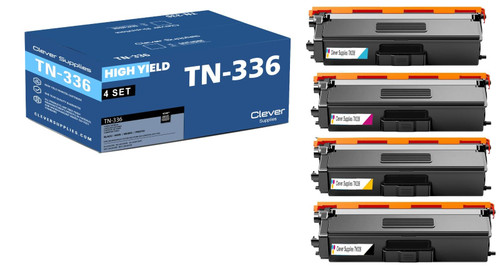 brother tn336 laser toner compatible cartridge high yield 4
 brother tn331 toner cartridge black tn331bk
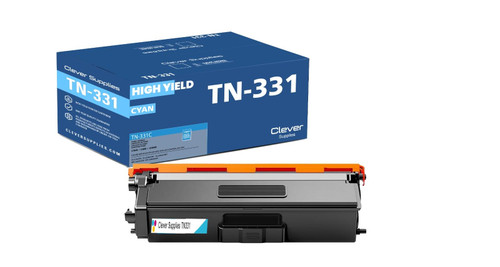 brother tn331 toner cartridge cyan tn331c
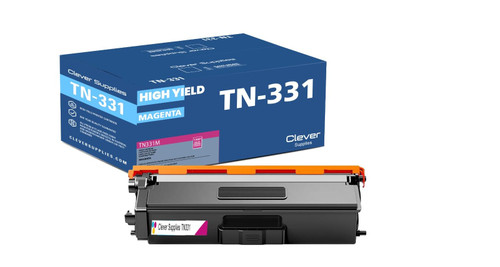 brother tn331 toner cartridge magenta tn331m
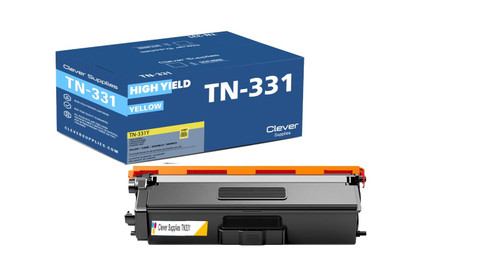 brother tn331 toner cartridge yellow tn331y
Key takeaways
- The top cartridge here is rated at 4,000 pages — fewer swaps, lower cost per page.
- Lowest cost per page in this family: ~0.7¢ with the highest-yield cartridge.
- Toner and drum are separate parts on this printer — replace only the one the printer asks for.
For the full family comparison — every pack size priced by the page — see the Best Brother TN336 Toner Cartridges buying guide.
Other Printers That Use TN331 and TN336
The identical cartridges and drum set also serve: HL-L8250CDN, HL-L8350CDW, HL-L8350CDWT, DCP-L8450CDW, MFC-L8600CDW, MFC-L8650CDW and MFC-L8850CDW.
Every cartridge and set for this machine lives on our DCP-L8400CDN toner page.