




What Toner Does the Brother HL-L3230CDW Use?
Nov 3rd 2026
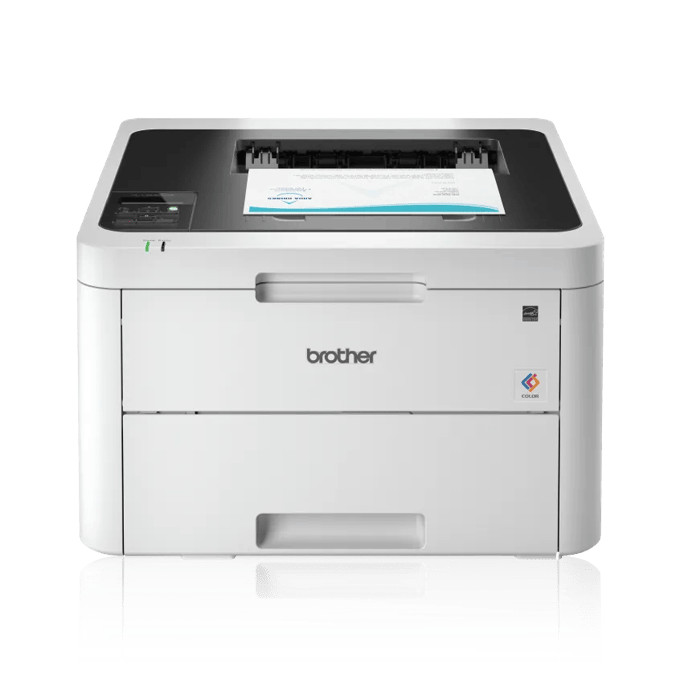
Quick answer: The Brother HL-L3230CDW runs on the TN223 standard-yield or TN227 high-yield toner family — four cartridges: black, cyan, magenta and yellow. A TN227 black (TN227BK) lasts about 3,000 pages and each TN227 color about 2,300; the standard TN223 versions manage roughly 1,400 pages in black and 1,300 in each color. The cartridges ride in a DR223CL drum set rated around 18,000 pages, which is a separate, much slower-wearing part.
The Office-Ready Version of This Printer
Where the base model in this line is built down to a price, the HL-L3230CDW is built up to a workload. It prints at up to 25 pages per minute in both black and color, turns pages over by itself with automatic duplex, and joins an office network three ways — Wi-Fi, Ethernet or USB — behind a simple one-line LCD. The tray holds 250 sheets and there is a manual feed slot for envelopes and card stock. It is a print-only machine, with no scanner hiding under the lid; everything Brother spent on it went into moving paper quickly.
Standard or High Yield: The Numbers
| Supply | Pages it is rated for | Our compatible price | Cost per page |
|---|---|---|---|
| TN227BK black | ~3,000 | $25.26 | ~0.8¢ |
| TN227 color (each) | ~2,300 | $25.26 | ~1.1¢ |
| TN223BK black | ~1,400 | $25.26 | ~1.8¢ |
| TN223 color (each) | ~1,300 | $25.26 | ~1.9¢ |
Prices were read from the main price element of each product page on November 2, 2026, and yields are Brother's ISO/IEC 19798 ratings. Notice what the table exposes: at Clever Supplies the standard and high-yield singles carry the same $25.26 tag, so choosing TN223 here would literally pay the same money for less than half the pages. On a printer rated for a recommended 300 to 1,500 pages a month, the high-yield set is not an upsell — it is the only version of this cartridge that keeps pace with the machine. The in-box cartridges, at roughly 1,000 pages each, are starters; your first real refill decision comes quickly.
Each Color, Sold Separately
Because the four colors empty at four different rates, each has its own part number and its own page:
TN227 high yield — TN227BK Black · TN227C Cyan · TN227M Magenta · TN227Y Yellow
TN223 standard yield — TN223BK Black · TN223C Cyan · TN223M Magenta · TN223Y Yellow
Replacing a Cartridge
Leave the printer switched on, open the top/front cover, and slide out the drum assembly belonging to the color that is empty. Squeeze its lock lever, lift the spent cartridge free, and give the new one a gentle side-to-side rock before removing its cover so the toner distributes evenly. Click it into the cradle, run the green corona-wire tab across the drum and back to its arrow mark, slide the assembly home and close up. Four independent units means four separate small jobs over the machine's life, never one big one.
When the Four-Color Set Beats Four Singles
The compatible TN227 four-color set was $52.79 at the time of checking. Four singles would have cost $101.04. If your starter cartridges are all approaching empty together — the usual pattern in the first year, since they were installed together and office printing leans on all four — the set nearly halves the bill and restocks the whole machine in one delivery. Singles still win in one situation: a single color that dies early while the rest show healthy levels. Forcing a full set then just parks three unopened cartridges in a drawer. The rule of thumb is simple — two or more colors low, buy the set; one color low, buy the single.
Drums, Belt and Waste Box
At around 18,000 pages the DR223CL drum set (our listing, $86.11 when checked, listed yield 18,500 pages) will ask for attention, announced by repeating defects down the page that a new toner does not cure. Two deeper service parts share a roughly 50,000-page horizon: the BU223CL belt unit and the WT223CL waste toner box. On a 25 ppm office machine these are realistic mid-life events rather than theoretical ones, but they are years behind the toner schedule — when a belt or waste message finally appears, it is maintenance, not a breakdown.
HL-L3230CDW Toner Questions
How long will the cartridges that came in the box last? About 1,000 pages each. They are starter cartridges, deliberately smaller than retail TN223s, so budget for the first full set early.
Does automatic duplex change which toner I buy? No. Duplexing is a paper-path feature; the cartridges are identical whether you print one-sided or two. It does stretch each cartridge further by putting more content on fewer sheets.
Can I plug this printer into a wired office network? Yes — alongside Wi-Fi and USB it has a built-in Ethernet port, which is one of the features that separates it from the Wi-Fi-only base model in the family.
My prints have a repeating mark every few inches. Is that toner? Almost certainly not. A defect that repeats at a fixed interval points to the drum surface, and at higher mileages to the belt. Fresh toner will not remove it; inspect the DR223CL drum for the matching color.
Do I have to replace all four colors at once? No. The printer tracks each cartridge independently and only stops for the empty one. Replace colors as they run out, unless the set pricing makes restocking together cheaper for you.
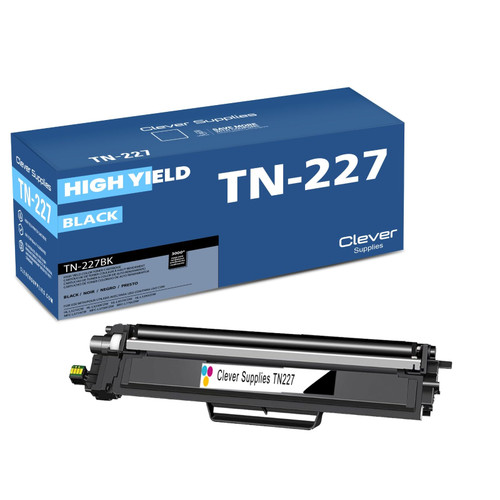 brother tn227 tn227bk toner cartridge black
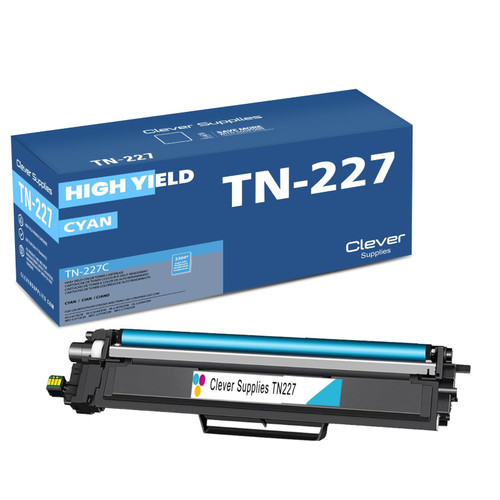 brother tn227 tn227c toner cartridge cyan
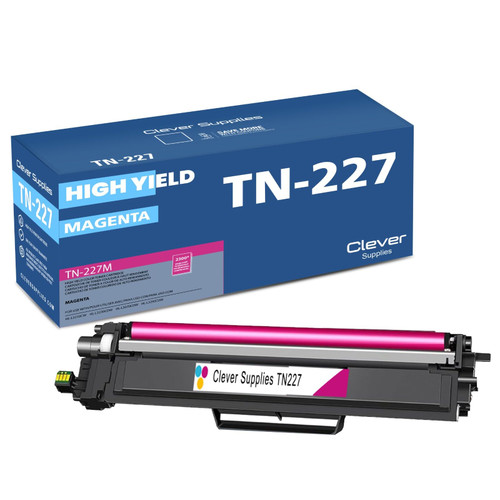 brother tn227 tn227m toner cartridge magenta
 brother tn227 tn227y toner cartridge yellow
Key takeaways
- The top cartridge here is rated at 3,000 pages — fewer swaps, lower cost per page.
- Lowest cost per page in this family: ~0.8¢ with the highest-yield cartridge.
- Toner and drum are separate parts on this printer — replace only the one the printer asks for.
Other Printers That Use TN223 and TN227
Six sibling models burn the same supplies: HL-L3210CW, HL-L3270CDW, HL-L3290CDW, MFC-L3710CW, MFC-L3750CDW and MFC-L3770CDW. A shared cartridge shelf across models is deliberate Brother design — and the reason one spare set can cover a mixed office.
Ready to order? Start from our HL-L3230CDW toner page, which lists every cartridge and set that fits this printer.