




What Toner Does the Brother HL-L3210CW Use?
Nov 2nd 2026
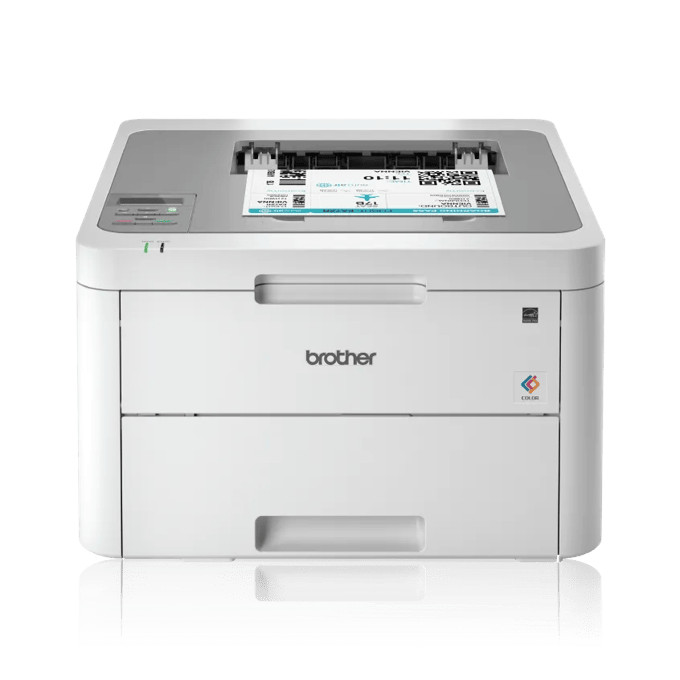
Quick answer: The Brother HL-L3210CW takes four toner cartridges — TN223 in standard yield or TN227 in high yield, in black, cyan, magenta and yellow. The high-yield TN227 black (TN227BK) is rated at about 3,000 pages and each TN227 color at about 2,300 pages, against roughly 1,400 pages for a standard TN223 black and 1,300 for each TN223 color. Underneath the toners sits a separate DR223CL drum set, good for around 18,000 pages before it needs replacing.
The Entry Point Into Brother Color Laser
The HL-L3210CW is the simplest color machine in this generation: print-only, up to 19 pages per minute, a 250-sheet tray, and a one-line LCD with physical buttons rather than a touchscreen. It connects by Wi-Fi or USB — there is no Ethernet port — and two-sided printing is manual, meaning the driver walks you through flipping the stack yourself. None of that changes what goes inside it. Brother gave the whole family the same supply bay, so the least expensive model in the line drinks from exactly the same cartridge shelf as the flagship all-in-ones further down this page.
Yields, Color by Color
| Cartridge | Color | Standard (TN223) | High yield (TN227) |
|---|---|---|---|
| Black | Black | ~1,400 pages | ~3,000 pages |
| Cyan | Cyan | ~1,300 pages | ~2,300 pages |
| Magenta | Magenta | ~1,300 pages | ~2,300 pages |
| Yellow | Yellow | ~1,300 pages | ~2,300 pages |
Yields are Brother's ratings under ISO/IEC 19798 at 5% coverage. The cartridges the printer ships with are starter cartridges of about 1,000 pages each, so the first replacement usually arrives sooner than new owners expect — that is normal, not a fault.
What That Works Out to per Page
On November 2, 2026, every one of our compatible TN223 and TN227 single cartridges was priced at $25.26 on its product page. Same money, very different page counts, which makes the arithmetic one-sided:
- TN227 black: $25.26 ÷ 3,000 pages ≈ 0.8 cents per page
- TN227 colors: $25.26 ÷ 2,300 pages ≈ 1.1 cents per page
- TN223 black: $25.26 ÷ 1,400 pages ≈ 1.8 cents per page
- TN223 colors: $25.26 ÷ 1,300 pages ≈ 1.9 cents per page
At equal shelf prices, the high-yield cartridge is not a close call: it more than halves your cost per page. The standard size only wins if the printer sits unused for months at a time and you would rather keep less cash tied up in toner.
Every Color, With Its Own Link
Each color is a separate cartridge with its own part number, and you only replace the one that runs dry:
High yield (TN227)
Standard yield (TN223)
Changing a Cartridge
Power on, open the front cover, and pull the drum-and-toner tray assembly for the empty color straight toward you. Press the lock lever on that unit, lift the old cartridge out, and rock its replacement gently side to side before peeling off the protective cover. Seat the new cartridge until the lever clicks back, slide the small green corona-wire tab across the drum and back to its home mark, then push the assembly in and close the cover. Repeat per color — the four units are independent.
One Set or One Cartridge at a Time?
Our compatible TN227 four-color set was $52.79 when checked — against $101.04 for the same four cartridges bought one by one. That gap makes the set the right buy when two or more colors are low together, which is common after the starter set runs down, because all four starters started life on the same day. The honest exception: if only yellow is empty and the other three are nearly full, buy the single yellow. A set is a discount on a full change, not a reason to shelve three cartridges you will not open for a year.
The Other Parts Inside
Toner is not the only consumable. The DR223CL drum set — four drums, one per color, rated around 18,000 pages — sits under the cartridges and eventually produces the repeating marks and washed-out backgrounds that a fresh toner cannot fix. Deeper in the machine, a BU223CL belt unit and a WT223CL waste toner box are each rated at roughly 50,000 pages; most home users will never meet either, but a "replace belt" or waste-box message years from now refers to those, not to toner.
Questions HL-L3210CW Owners Ask
Can I mix TN223 and TN227 cartridges in the same printer? Yes. The sizes are interchangeable slot by slot, so a TN227 black can sit beside TN223 colors. Many owners upgrade only the black, which usually empties fastest.
Does the HL-L3210CW print double-sided automatically? No. This model has no built-in duplexer; the driver offers a manual two-sided routine that prompts you to turn the stack over. If you print long double-sided documents daily, the HL-L3230CDW in the same family adds automatic duplex.
Why did my first cartridges run out so fast? They were starter cartridges of about 1,000 pages each, not full TN223s. Your first full-size replacement — standard or high yield — will last noticeably longer.
Is there a separate drum for each color? Yes. The DR223CL is a set of four drum units, one under each toner. They are replaced as a set at around 18,000 pages, on a far slower schedule than toner.
Will this printer work over Ethernet? There is no Ethernet port on the HL-L3210CW. It offers Wi-Fi (including Wi-Fi Direct) and a USB connection for a single computer.
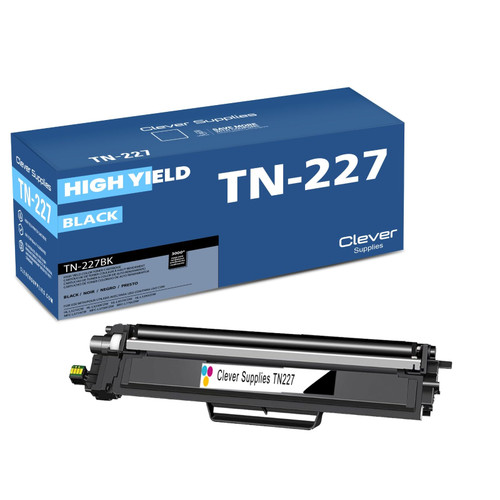 brother tn227 tn227bk toner cartridge black
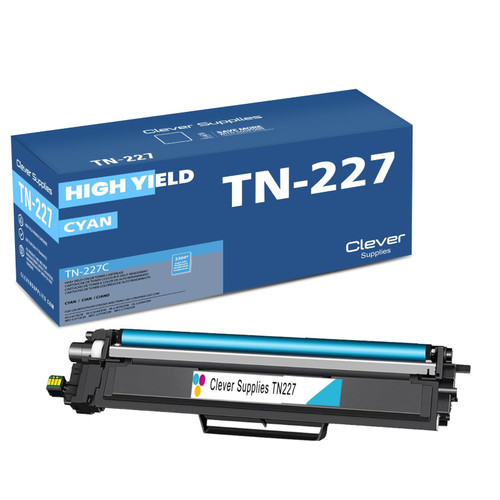 brother tn227 tn227c toner cartridge cyan
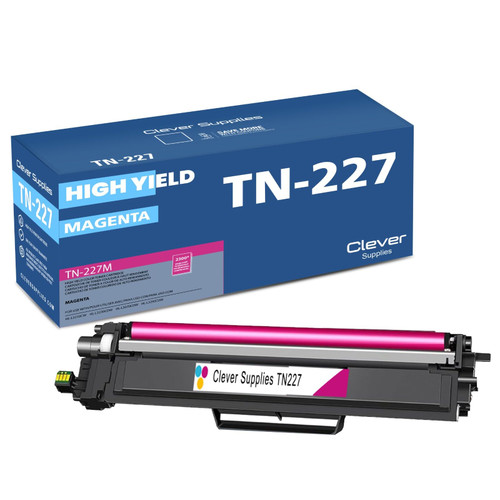 brother tn227 tn227m toner cartridge magenta
 brother tn227 tn227y toner cartridge yellow
Key takeaways
- The top cartridge here is rated at 3,000 pages — fewer swaps, lower cost per page.
- Lowest cost per page in this family: ~0.8¢ with the highest-yield cartridge.
- Toner and drum are separate parts on this printer — replace only the one the printer asks for.
Other Printers That Use TN223 and TN227
The same eight cartridges and the same drum set also fit: HL-L3230CDW, HL-L3270CDW, HL-L3290CDW, MFC-L3710CW, MFC-L3750CDW and MFC-L3770CDW. If this printer is ever replaced by one of those, the spare cartridges on your shelf carry over.
Ready to order? Start from our HL-L3210CW toner page, which lists every cartridge and set that fits this printer.